
On Deck
Save a show for when you have room, set aside one you've started, and pick it back up later.
On Deck holds shows you want to watch but aren't watching right now. A show On Deck stays in your Library with its progress and waits in a reserve below your active shows in Up Next. You choose when to bring it back.
Save a show for later
For a show you haven't started:
- On its page, tap Follow and choose Save for Later.
- In search results, Discover, or a genre list, touch and hold the show and choose Save for Later.
Either way, Shows follows the show and puts it On Deck in one step.
Set aside a show you've started
When you've started a show but want to make room, touch and hold its row in Watch Next and choose Set Aside. You can also choose Set Aside from the Following menu on the show page or from the poster's menu in Library. An Undo bar appears in Up Next in case you change your mind.
Setting a show aside keeps everything you've watched. When you come back, you continue from the next unwatched episode.
What changes while a show is On Deck
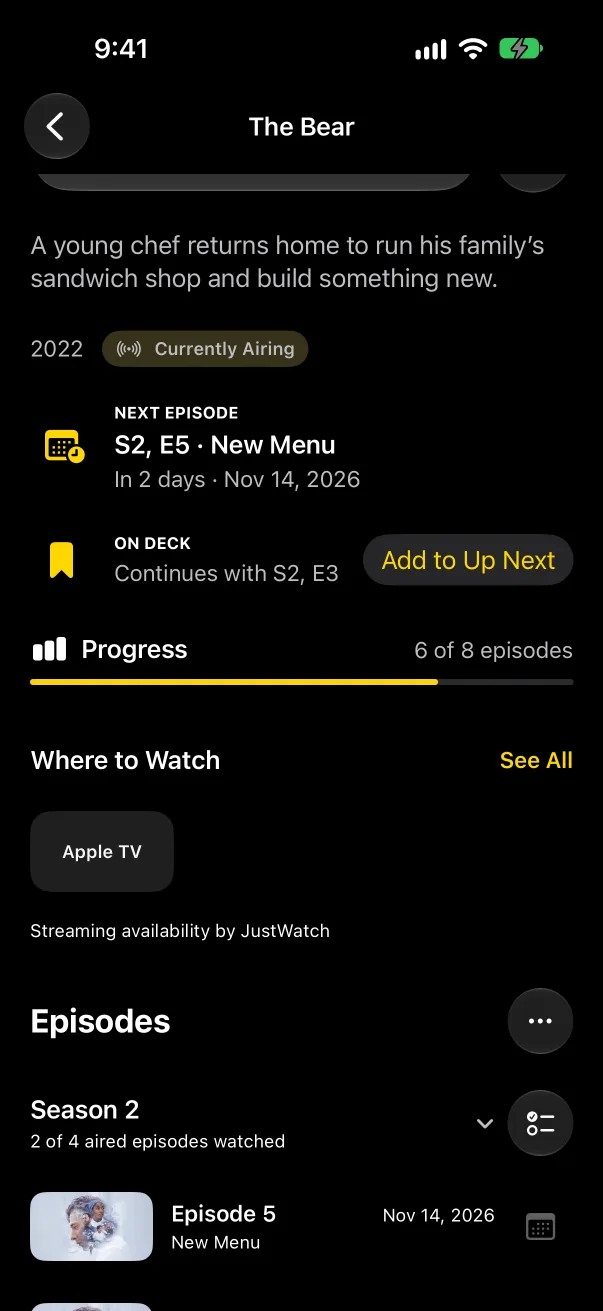
- It waits in On Deck, outside Watch Next, Airing Today, and the upcoming sections.
- The widget, daily reminders, Scheduled Today, and Siri suggestions leave it out. Alarms you set yourself still go off.
- Its page shows an On Deck card, and its Follow button reads On Deck.
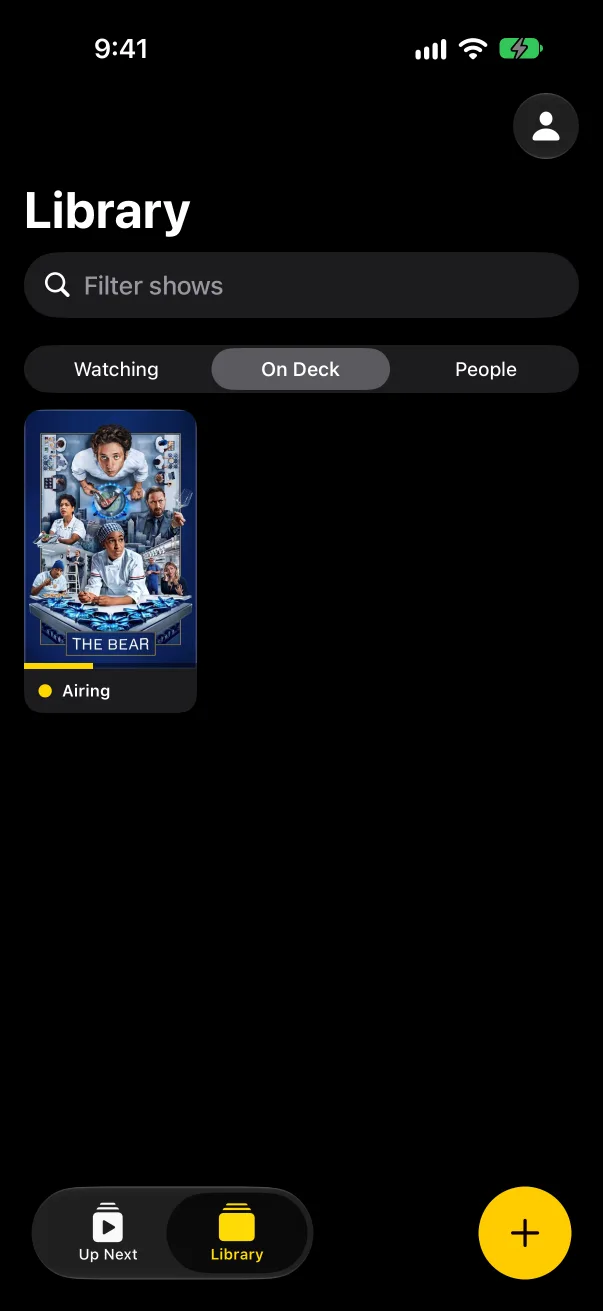
- It's listed in Library under On Deck instead of Watching.
Pick a show back up
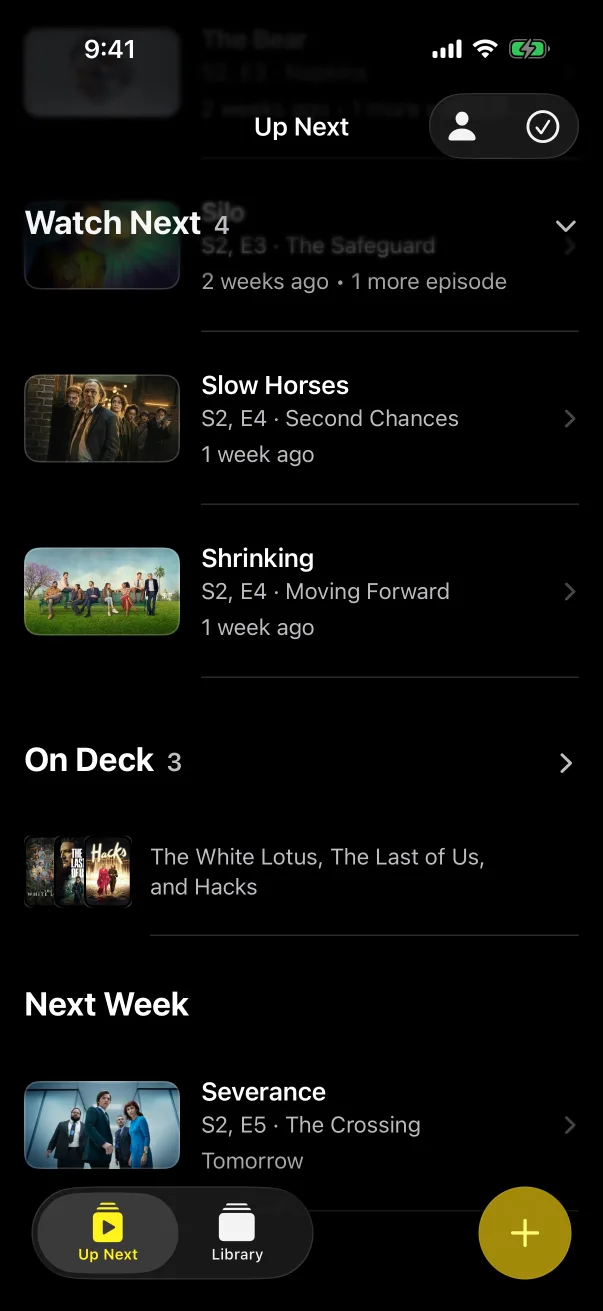
Up Next keeps an On Deck section right after Watch Next, before the upcoming episodes. While you have episodes waiting in Watch Next, it stays folded to a line of posters and names; tap it or its heading to open it. When nothing is waiting, it opens on its own.
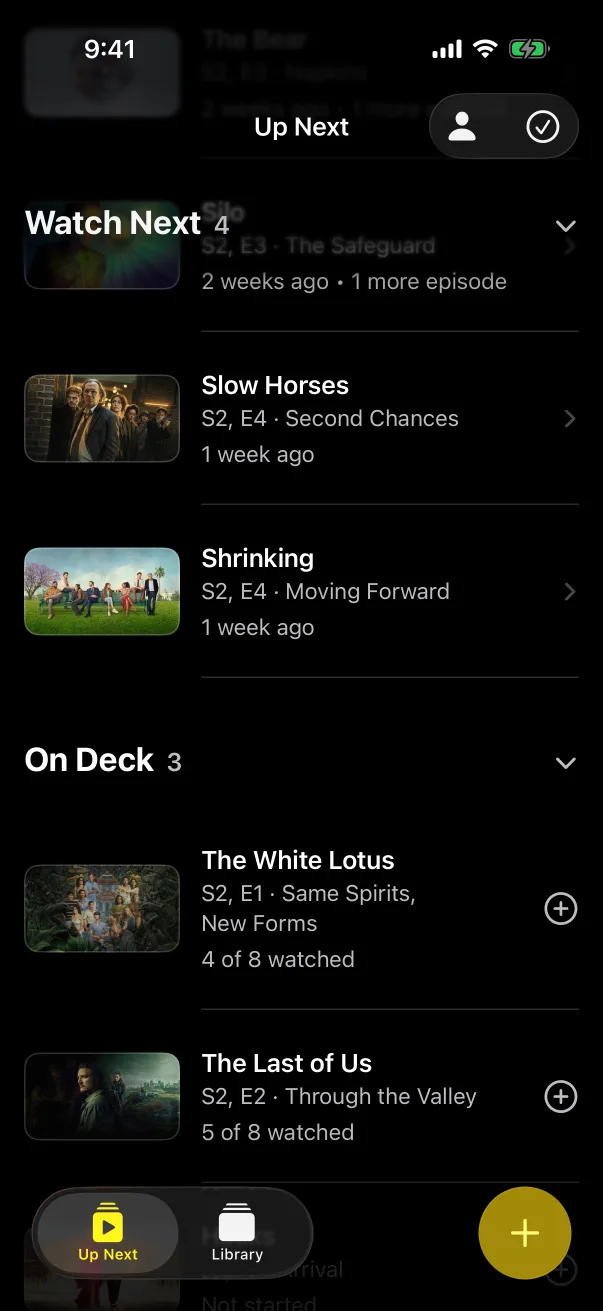
Each show in the section lists the episode you'd watch next and how far along you are, such as 4 of 8 watched or Not started. Tap + beside a show, or swipe right on it and tap Add to Up Next, to move it into Watch Next. An Undo bar appears in case you change your mind. Tap the show itself to open that episode first. Nothing is marked watched.
You can also tap Add to Up Next on the show page, or choose Add to Up Next from its poster's menu in Library.
Watching an episode brings it back
Opening a show or an episode doesn't change anything. Marking an episode of a show On Deck as watched means you're watching it again, so Shows moves the show back to Up Next. A banner says the show moved to Up Next; tap Undo to keep it On Deck. The episode stays watched either way.
"Still watching?"
A stalled show in Watch Next asks Still watching? when you touch and hold its row:
- Keep Watching keeps the show where it is and stops asking for a while, like Restore in Stalled Shows.
- Set Aside (or Save for Later, if you haven't started it) moves it On Deck.
Shows never moves a show On Deck by itself. If you've turned on Hide stalled shows, the Stalled Shows list offers the same choice beside Restore.
Across your devices
On Deck syncs with your account. Saving or setting aside a show on one device moves it on your others, and it works offline: the change appears right away and syncs when you're back online.