
People Updates and recommendations
See newly discovered work from people you follow and get alerts when it appears.
From People You Follow
In Add Show, tap the From People You Follow › heading in Discover to see every recommendation connected to the people you follow.
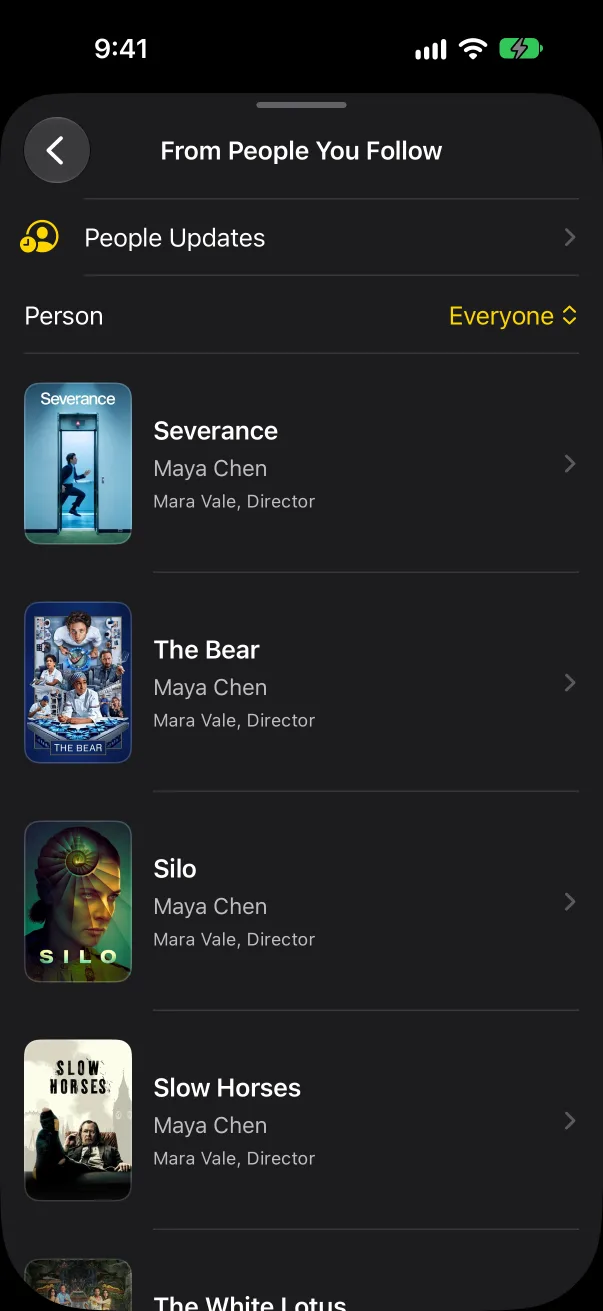
- Use the Person menu to show recommendations for one person or Everyone.
- Each row lists the show, who connects you to it, and their roles. Tap it to open the show.
- Touch and hold a row and choose Not Interested to remove it.
- Tap Load more at the bottom for more.
People Updates
People Updates is a feed of new work Shows has found for the people you follow. Open it from the top of the From People You Follow list.
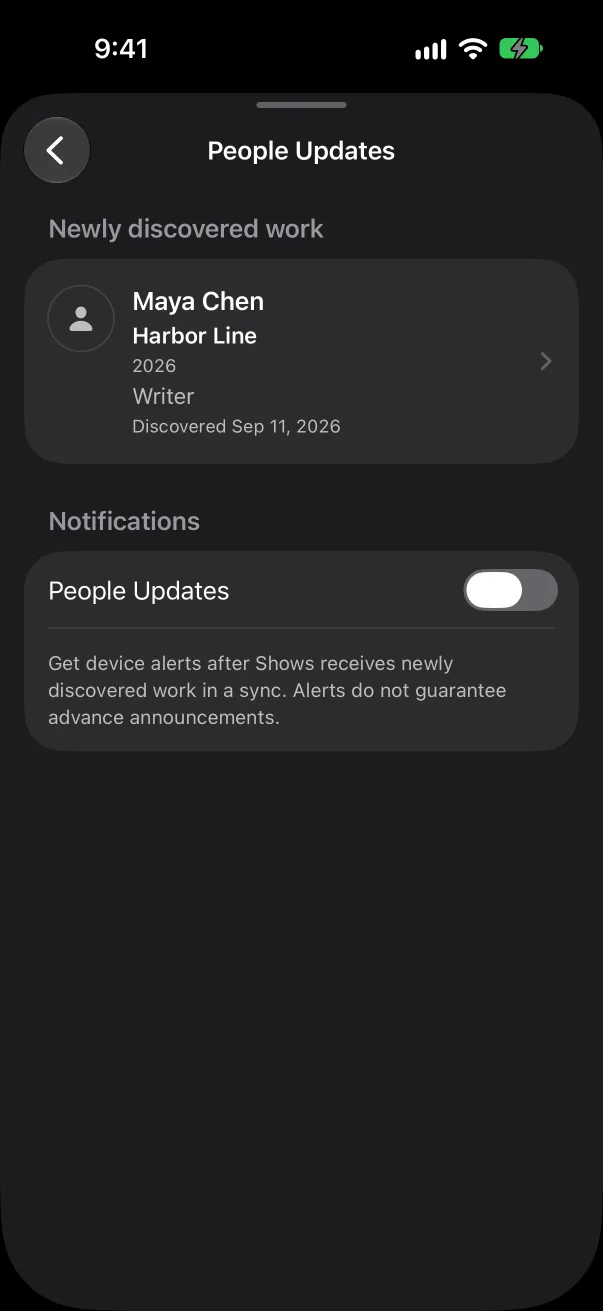
Each entry shows the person, the show, the year, their role, and when Shows discovered it, for example Discovered Sep 11, 2026. That's the date Shows learned about the credit, not an announcement or premiere date.
Only people with New shows and roles turned on (see Follow their work) add entries here.
Get alerts for new work
At the bottom of People Updates, turn on People Updates under Notifications. iOS asks for permission the first time.
- Alerts arrive after Shows syncs and finds new work. Each discovery alerts you once.
- When new work covers one to three shows, each show gets its own alert, titled Newly discovered work. Tap it to open the show.
- More than three shows are combined into one alert ("5 credits from people you follow.") that opens People Updates.
- Alerts only cover work found after you turned them on, and they don't guarantee advance notice of announcements.
If notifications are turned off for Shows, People Updates shows Open Notification Settings so you can turn them back on.
This setting is per device, and signing out turns it off.