
Up Next
How Up Next decides which episode to show you, and what each section means.
Up Next answers one question: what should I watch? It lists one row for each show you follow, showing the earliest unwatched aired episode in season and episode order. Watching a later episode does not skip an earlier unwatched one. Marking an earlier episode unwatched brings it back immediately, even offline. Dismissed episodes and your specials and Binge Mode choices still determine which episodes are eligible.
The sections
Rows are grouped by when the episode is available. A section only appears when it has something in it.
| Section | What's in it |
|---|---|
| Airing Today | Shows whose next episode airs today, plus guest appearances airing today. Shows in Binge Mode never appear here. |
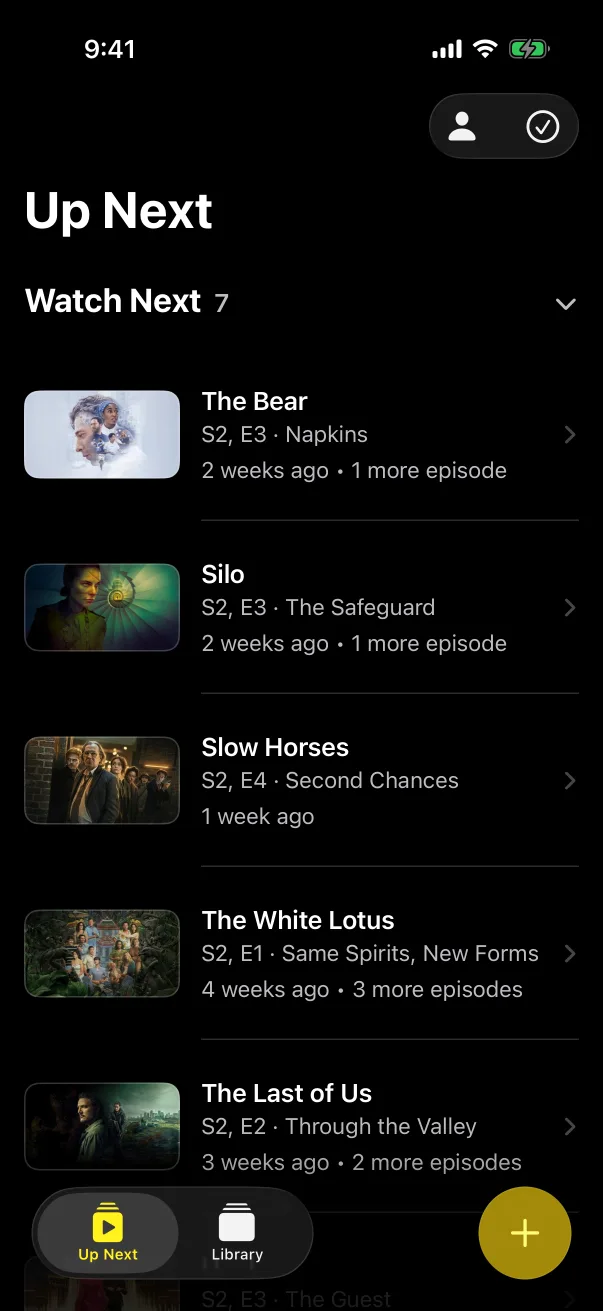
| Watch Next | Shows whose next episode has already aired: your backlog, ready to watch. |
| Next Week | The next episode airs within the next 7 days. |
| Next Month | The next episode airs within the next 30 days. |
| Later | The next episode is further away, such as a season that's been announced for next year. |
Each show appears only once, in the section for its next episode. If you're caught up on a show and its next episode hasn't aired, it moves out of Watch Next and into the section for its air date. A show in Binge Mode that's waiting for the rest of its episodes isn't in any section until it's ready. Shows you've put On Deck wait in their own On Deck section after Watch Next, folded while you have episodes waiting.
Next Week, Next Month, and Later list episodes in release order, with the earliest air date first.
Watch Next puts the shows you've been most active with at the top: the ones with a newly released episode, ones you just added, and ones you watched recently. When you mark an episode watched, its show moves up and its row advances to the next unwatched episode, even offline. When you select several episodes, rows stay in place while you pick and advance together once they're marked watched.
Collapse Watch Next
The Watch Next heading shows how many shows it lists. Tap the heading to collapse the section and tap it again to expand it. Up Next remembers your choice on this device; the other sections stay as they are.
Reading a row
Each row shows the show's name, the episode (for example S2, E3 · Doors), and a line about timing:
- Today, for episodes airing today.
- Yesterday, 2 weeks ago, and so on, for aired episodes; or Available now if the air date isn't known.
- • 2 more episodes when more aired episodes are waiting after this one, or • +2 episodes when the row is too narrow to fit that.
- A Binge tag before the timing, with no episode count, for a show in Binge Mode that's ready to watch. The show page says which season you're binging. A show waiting for its binge isn't listed.
- Tomorrow, In 3 days, and similar for upcoming episodes.
- Last watched 3 weeks ago or Added …, not started for a stalled show, as a gentle nudge.
If the episode features someone you follow (see Follow their work), the row adds a line naming them and their role, such as Maya Chen · Guest appearance, and their photos on the artwork.
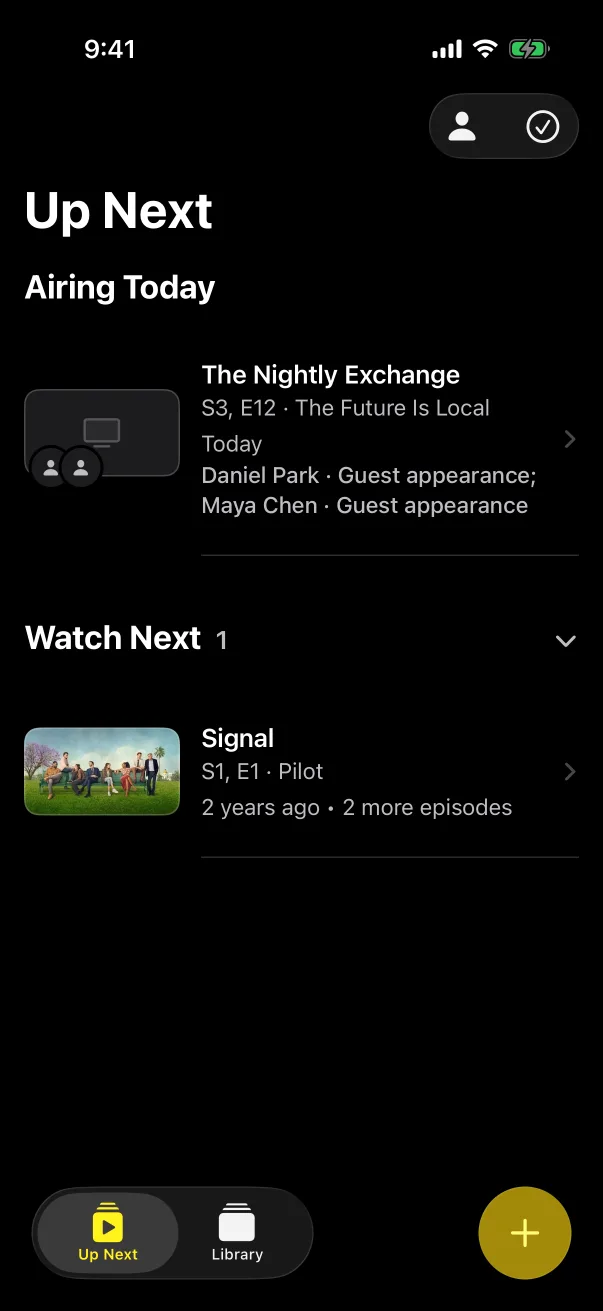
Tap a row to open the episode page.
Hide stalled shows
A show in Watch Next is stalled when you haven't watched it, and no new episode has aired, for twice your usual gap between viewing days. Shows learns that gap from the last 90 days of watching that show, counting several episodes on one day as one viewing day. The allowance is never less than two weeks or more than six. Without at least two viewing days to compare, it's two weeks.
| You… | The show stalls after |
|---|---|
| watch it about once a week, or binge it most days | 2 weeks |
| watch it about every three weeks | 6 weeks |
| watch it about once a month | 6 weeks |
| added it but haven't started it | 2 weeks after adding |
A new episode resets the clock, so a show you're saving up while its season airs doesn't stall, and neither does one whose new season just premiered.
Stalled shows stay in Watch Next unless you turn on Settings → Episodes → Hide stalled shows. It's off by default and applies only to this device.
While it's on, Watch Next ends with a row such as 3 Stalled Shows, counting the shows it hides. The row stays even when every show in Watch Next is stalled, so Up Next doesn't say you're caught up, and even when you've collapsed the section.
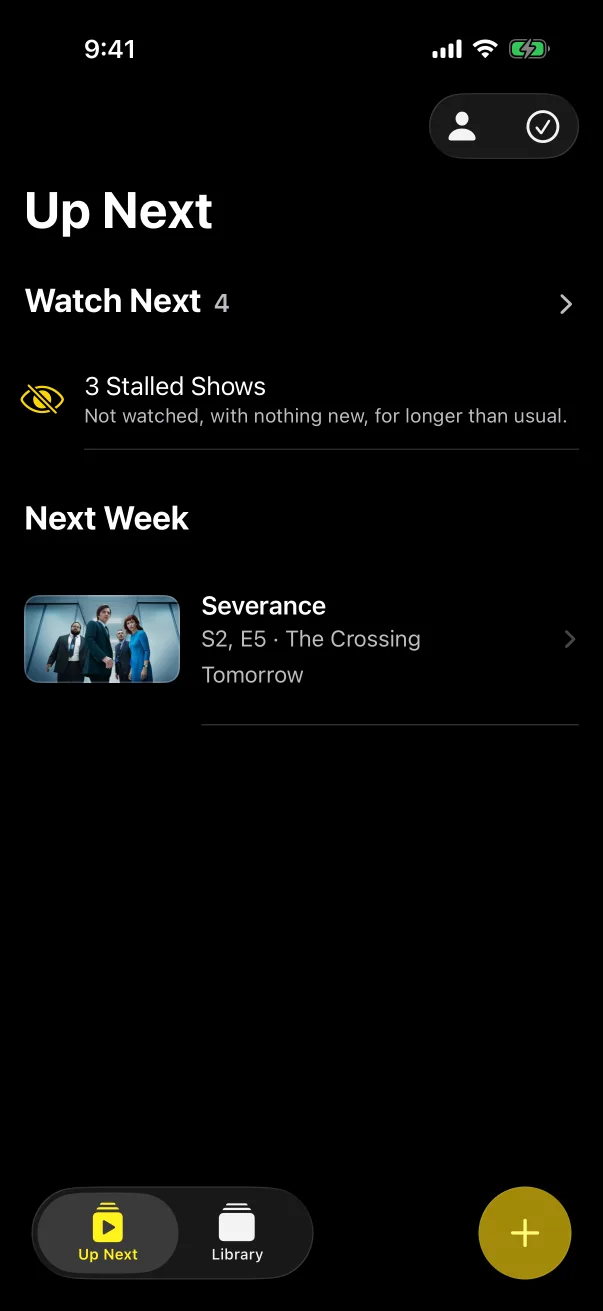
Tap it to open Stalled Shows, which lists each hidden show's poster, name, and the episode you'd watch next. Tap Restore beside a show to put it back in Watch Next; the others stay hidden. Tap Done to close the list.
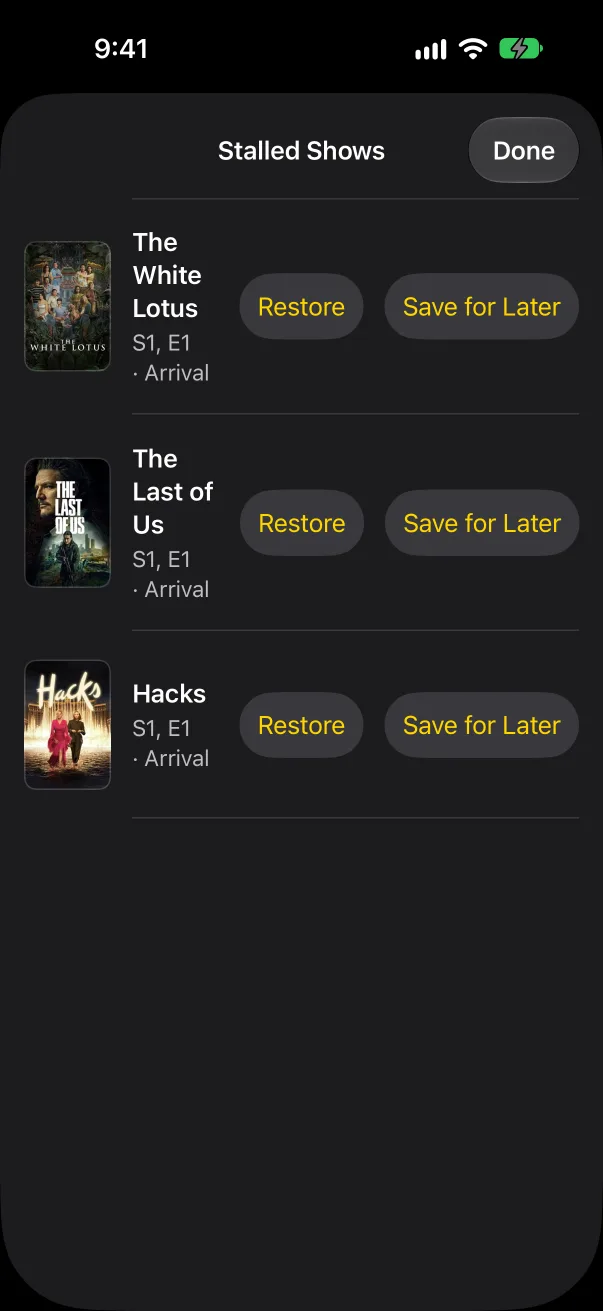
A restored show stays in Watch Next on this device for another stretch as long as its usual allowance, starting from when you restored it. That stretch is set when you tap Restore and doesn't shrink later. If you still haven't watched it, and nothing new has aired, by the end of that stretch, it's hidden again. Restoring a show leaves Hide stalled shows on.
Touch and hold a stalled row to answer Still watching?: Keep Watching works like Restore, and Set Aside moves the show On Deck. Nothing moves until you choose.
Hiding or restoring a show doesn't unfollow it, mark anything watched, or change its watch history. A hidden show comes back by itself when you watch an episode or a new one airs. A show in Binge Mode is never hidden, because you chose to binge it. Hiding affects only the Up Next list. It doesn't change the widget, reminders, Scheduled Today, or Siri.
Keeping it fresh
Up Next updates as soon as you mark something watched. It also re-sorts at midnight and whenever you return to the app, so "Today" always means today. While Up Next is on screen, Shows checks about once a minute for changes from your other devices and for new episode details; if it can't reach the Shows service, it waits longer before trying again, and it doesn't try while you're offline. Pull down on the list to sync with your other devices right away.
When Up Next is empty
The empty screen tells you why:
| Message | What it means |
|---|---|
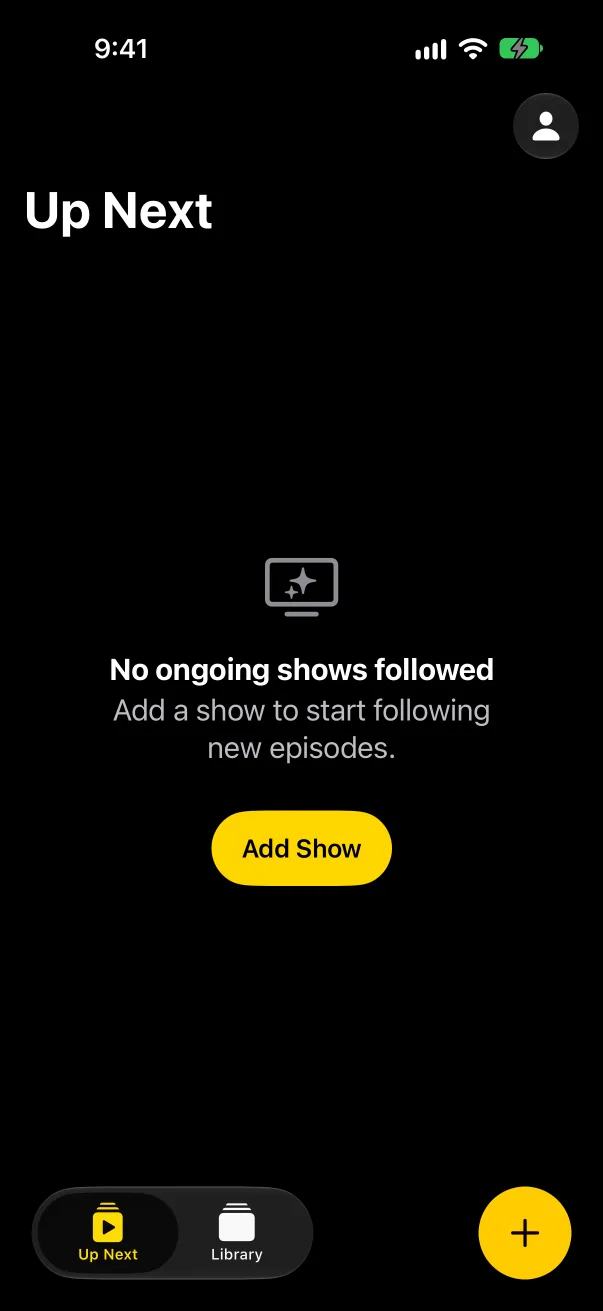
| No ongoing shows followed | You aren't following any show that's still airing. Tap Add Show to find one. |
| You're all caught up | You've watched everything that has aired, and nothing upcoming is known yet. |
| Everything is snoozed | Every show is snoozed. They come back on their own. | | Nothing in Up Next | Only dismissed episodes remain. They're still unwatched. | | No matching episodes found | You track guest appearances or episode work, but none of the people you selected has a known episode yet. |
When you're caught up and have shows On Deck, Up Next shows its On Deck section open instead.
Next steps
- Mark episodes watched with a swipe, a menu, or the checkmark button (Select).
- Dismiss or snooze what you're not watching right now.
- Binge a show once a season or the series is all out.
- Save a show for later or set one aside without losing your place.
- Set an alarm for an episode you don't want to miss.