
Search and add shows
Find a show, genre, or person, and add it to your Library.
Tap the yellow + in the tab bar to open Add Show. It opens as a sheet, so you can drag it away and return to where you were.
Search for a show
Tap the search field at the bottom of the sheet. It says "Shows, series, and genres".
Tap a result to open its show page, or touch and hold it to add it right away.
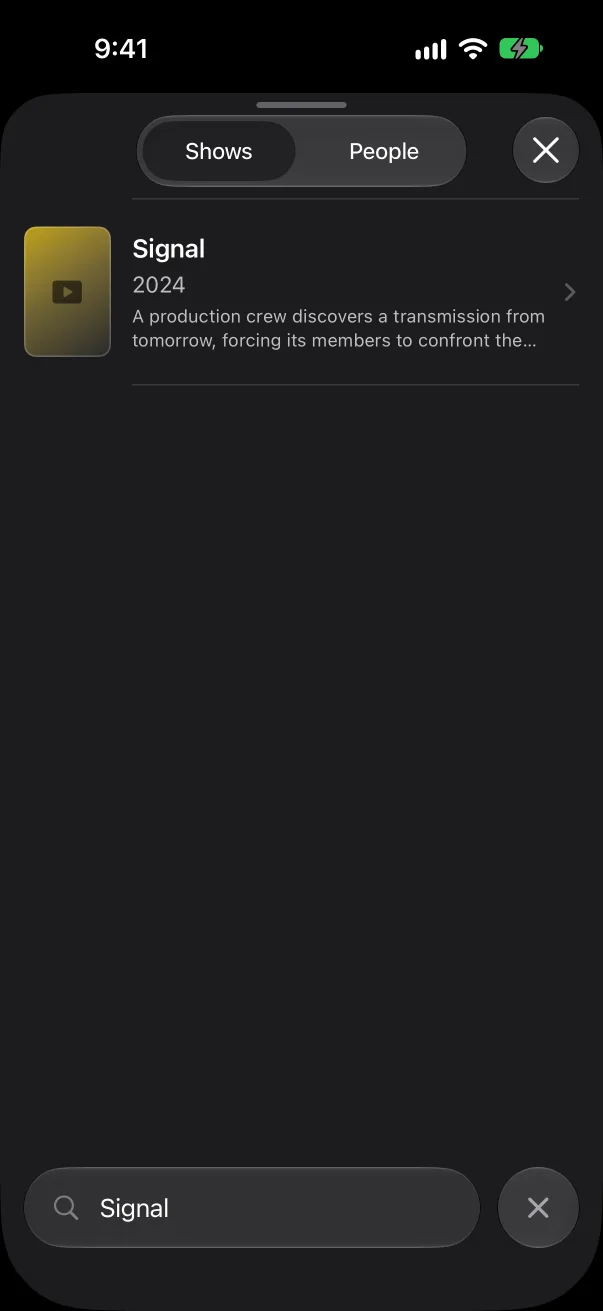
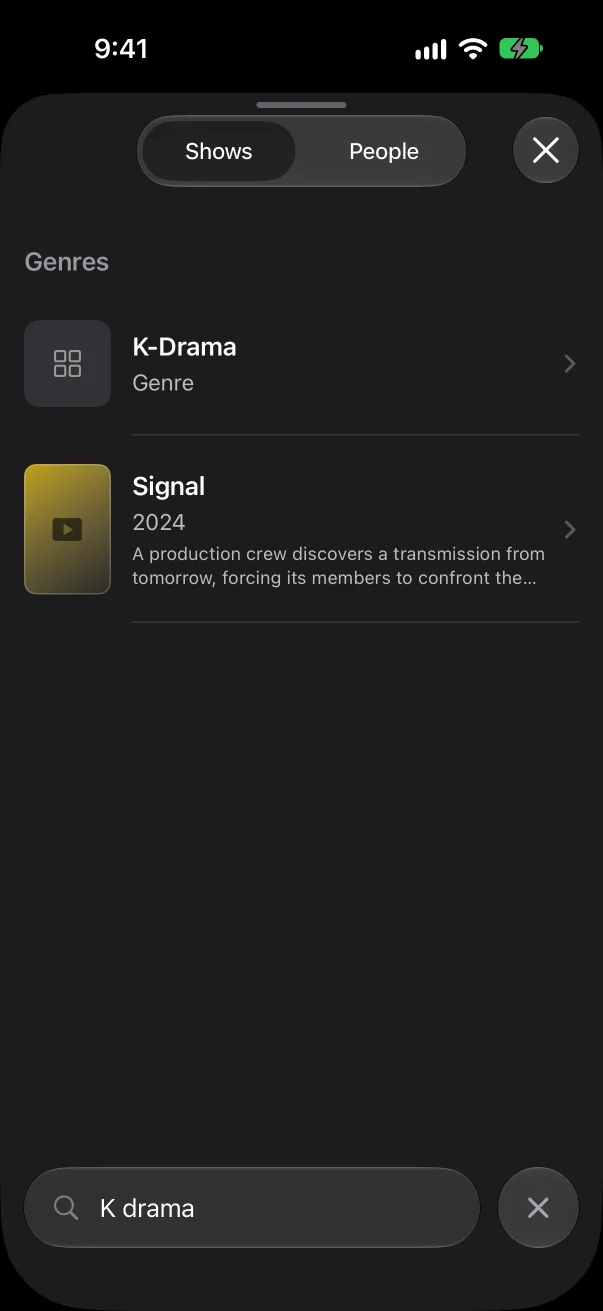
Search results can include:
- Genres that match what you typed. Shows understands common nicknames: "kdrama" finds K-Drama, "scifi" finds Sci-Fi & Fantasy, and "japanese animation" finds Anime. Tap a genre to see its shows.
- Suggestions: earlier searches that match what you're typing. Tap one to search again. Shows remembers your last 8 successful searches on this device.
- Shows, with their poster, first-air year, and description.
If nothing matches, you'll see No Results. If the search couldn't reach Shows, you'll see Search Unavailable with a Try Again button.
To clear your search, tap the × next to the field.
Add a show to your Library
Touch and hold any show in search results, Discover, or a genre list:
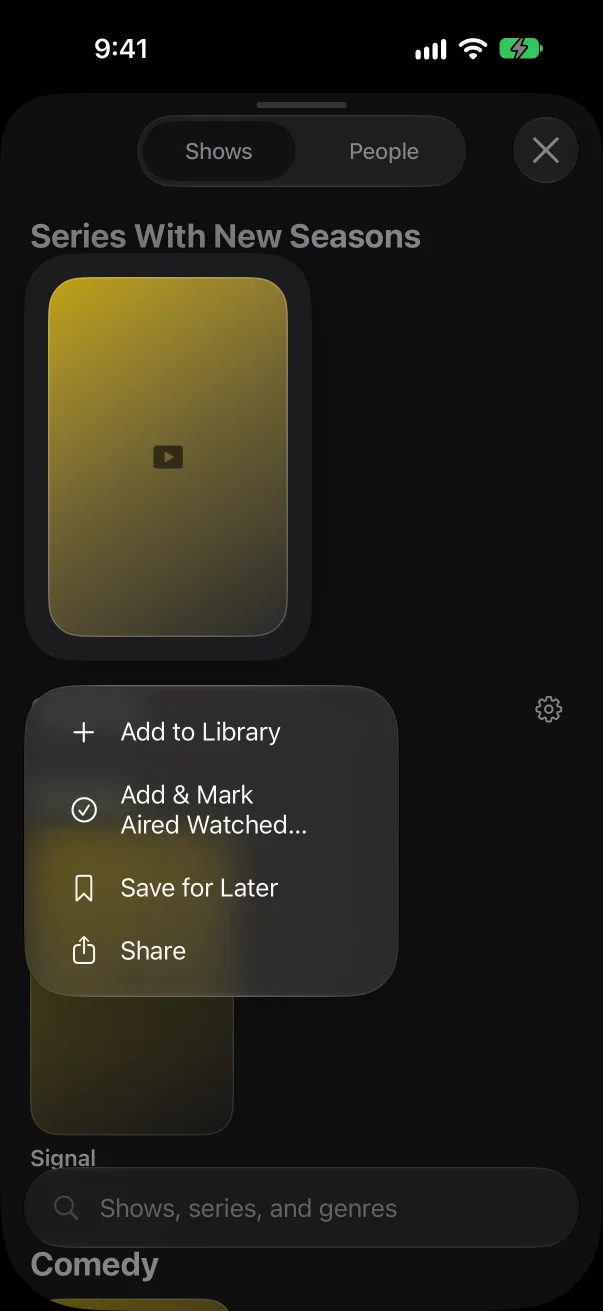
- Add to Library follows the show. Your progress starts from the beginning, so its first episode appears in Up Next.
- Add & Mark Aired Watched… follows the show and marks every episode that has already aired as watched. Choose this when you're caught up; Up Next will wait for the next new episode. Shows asks you to confirm first.
- Save for Later follows the show but keeps it out of Up Next until you're ready. See On Deck.
- Share shares a link to the show.
If you already follow the show, the menu says In Library instead, or On Deck for a show you've saved for later.
You can also add a show from its page with the yellow Follow button. See Following a show.
Already partway through a show?
Add it with Add to Library, open its page, and mark the seasons you've finished with each season's button. Then mark individual episodes for the season you're in. See Episodes and seasons.
Search for people
Switch the control at the top of Add Show from Shows to People to find actors, writers, directors, and other crew.
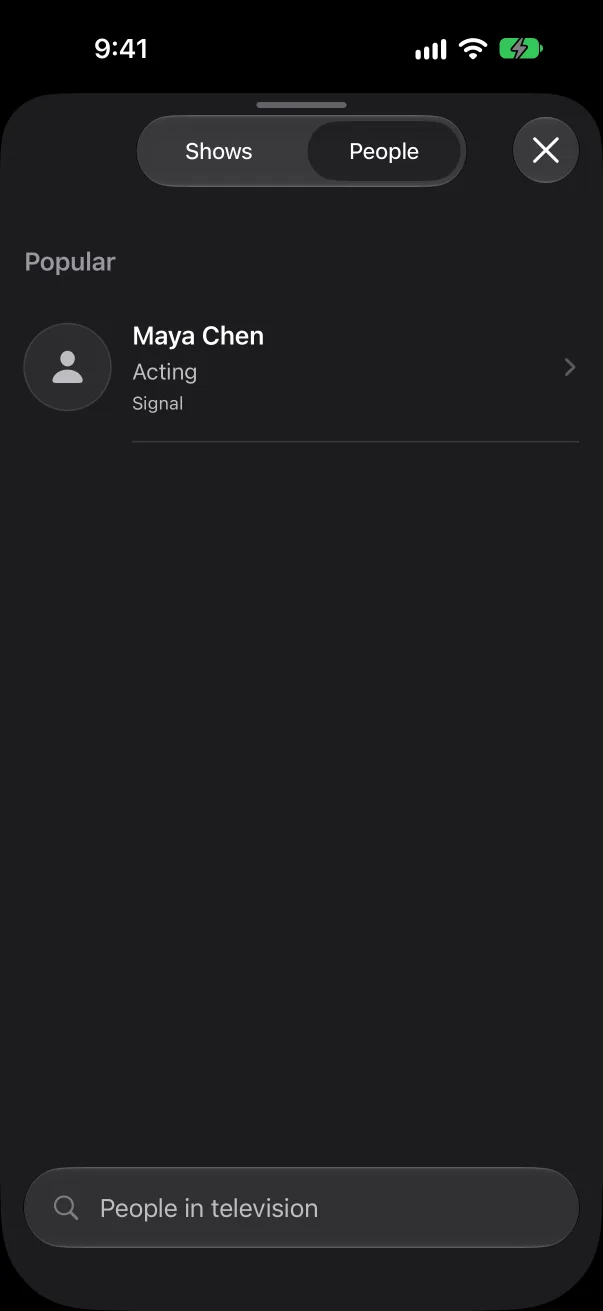
Type a name (or an exact show title to find its cast and crew). Each result shows the person's department and up to three shows they're known for. Tap someone to open their profile.