
Follow their work
Choose whether a person's new shows, guest appearances, and episode work reach you.
Once you follow someone, their profile shows Follow Their Work with three independent switches. Each one decides what reaches you about that person.
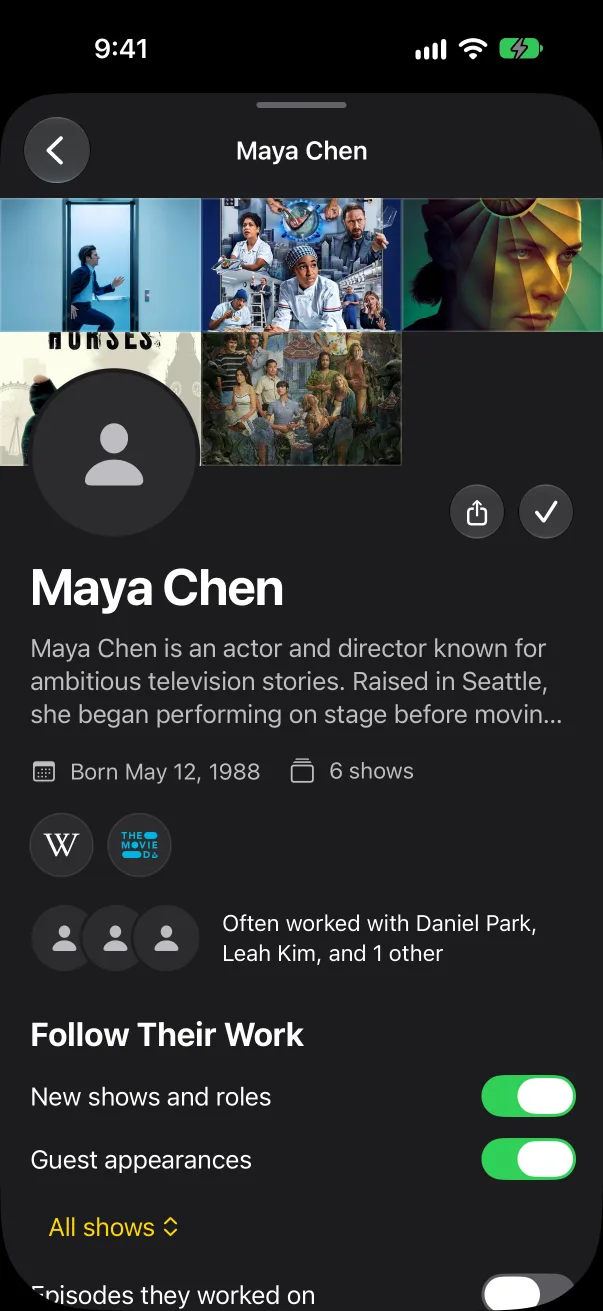
| Switch | Default | What you get |
|---|---|---|
| New shows and roles | On | Newly discovered shows and roles appear in People Updates. |
| Guest appearances | Off | Episodes where they appear as a guest show up in Up Next, even for shows you don't follow. |
| Episodes they worked on | Off | Episodes they directed, wrote, or otherwise worked on show up in Up Next. |
Guest appearances
Turn on Guest appearances to catch a favorite actor on a talk show or a one-off role. Then choose where to look with Find guests in:
- All shows (the default), or
- Talk shows only.
Matching episodes appear in Up Next with a line such as Maya Chen · Guest appearance and the person's photo, without following the whole show.
Episodes they worked on
Turn on Episodes they worked on to follow a director or writer episode by episode. Up Next and the episode page say how they're involved, for example Directed by or Written by.
How matching works
- Only episodes with an actual credit for that person count. Being in a show's regular cast isn't a guest appearance.
- Only episodes airing on or after the day you followed them are included.
- Each episode appears in Up Next once, even if several people you follow are in it.
- Watching a guest-appearance episode doesn't add the show to your Library.
The profile's Known Episode Credits list shows the episodes Shows has found for that person. If it says the list is still being checked, pull down later to see newly found appearances.
Follow just the matching episodes of a show
On a show page, the Follow menu offers Matching Episodes Only when you use these features. Only its matching episodes then reach Up Next. With Settings → Guest Appearances → Track guest appearances on, these shows are listed under Library → Guests; otherwise they don't appear in the Library grid. Choose Follow Entire Show to switch back.
The older account-wide setting
Settings → Guest Appearances → Track guest appearances is an earlier, account-wide version of this feature. It also shows the Guests section in your Library. For new choices, use Follow Their Work on each person's profile.