
Discover
Browse new series, returning seasons, recommendations from people you follow, and genres you choose.
When the Add Show search field is empty, you see Discover: shelves of shows you might like. Shows you already follow never appear here.
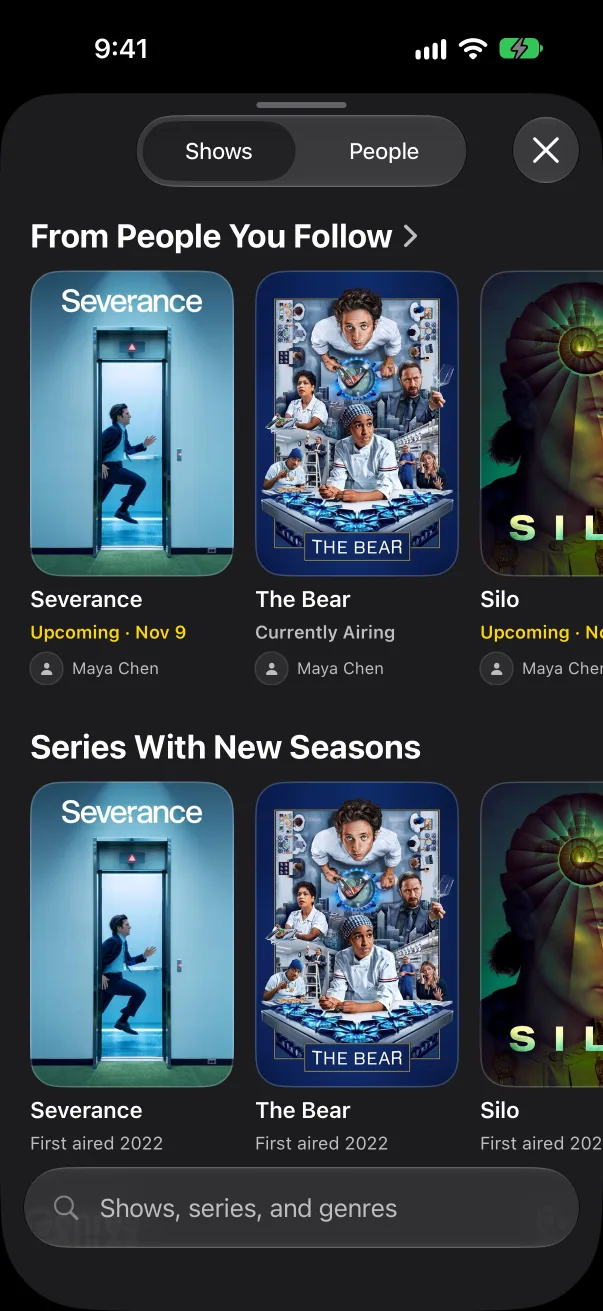
The shelves
From top to bottom:
- From People You Follow: shows connected to the actors and creators you follow. Each card says who connects you to it (for example "Maya Chen · Director" or "2 people you follow") and either its next air date in yellow (Upcoming · Oct 19) or its status. Tap the shelf title to see the full list.
- Latest Releases: series that premiered this year or last year.
- Series With New Seasons: established shows with new episodes available.
- Your genres: one shelf for each genre you choose, such as Drama or Comedy.
Tap a card to open the show. Touch and hold a card in Latest Releases, Series With New Seasons, or a genre shelf to add it to your Library. Pull down to refresh everything.
Choose your genres
Out of the box, Discover shows Drama, Comedy, Crime, and Sci-Fi & Fantasy. To change them:
Tap genres to select or deselect them. Use Search genres to find one quickly, or the Selection menu to Select All or Clear.
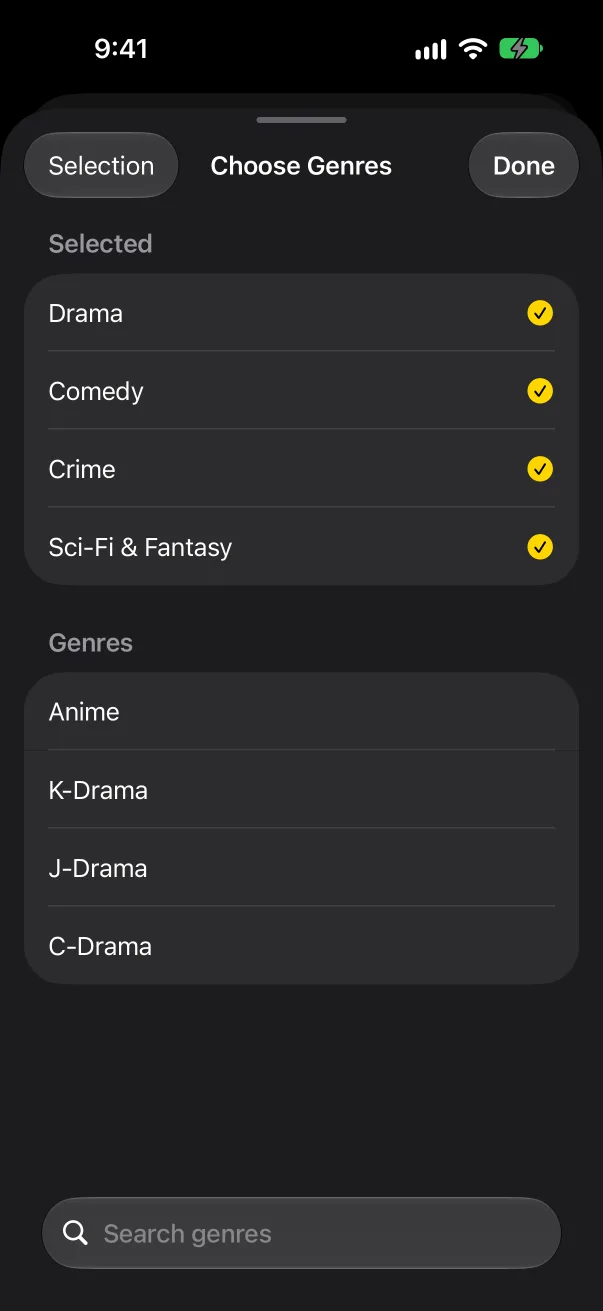
If you select Anime, an Anime Subgenres section lets you narrow it to Action & Adventure, Comedy, Drama, Family, Mystery, or Sci-Fi & Fantasy.
Regions shape Discover
Discover only includes shows you can stream in your selected regions. To change them, open Settings → Discovery → Available Regions. See Settings.
Bring back dismissed shows
Shows you mark Not Interested in recommendations stay hidden. To let them return when a new season is announced, turn on Settings → Discovery → Revive dismissed shows for new seasons. Specials never revive a show.
When Discover is empty
If there's nothing new to suggest, Discover says You're Ahead of the Queue. Follow more people or choose more genres to widen your recommendations.