
Dismiss and snooze
Tidy Up Next without losing your place, by hiding an episode or pausing a whole show.
Sometimes a show is in Up Next but you're not going to watch it right now. Shows gives you two ways to clear it away without touching your watch history: dismiss one episode, or snooze the whole show.
Dismiss an episode
Dismissing hides one episode from Up Next. It stays unwatched.
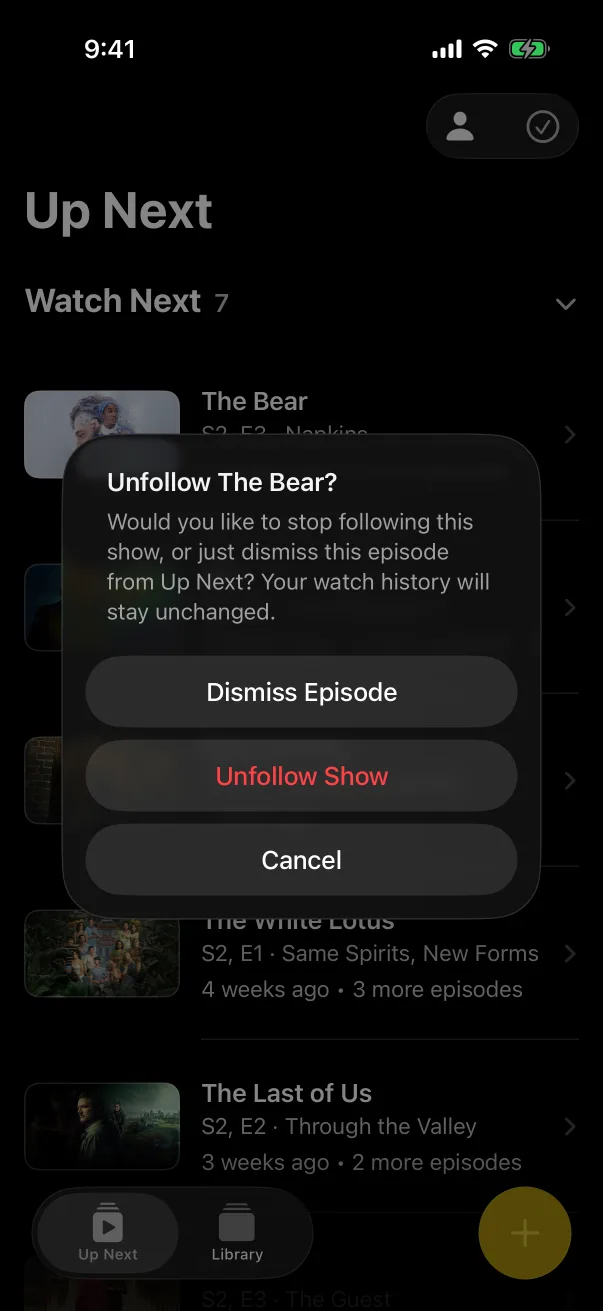
Swipe the row to the left, or touch and hold it and choose Dismiss from Up Next. For a show you follow, Shows asks what you meant:
- Dismiss Episode hides this episode. The show's following episode takes its place.
- Unfollow Show dismisses the episode and removes the show from your library.
- Cancel leaves everything as it was.
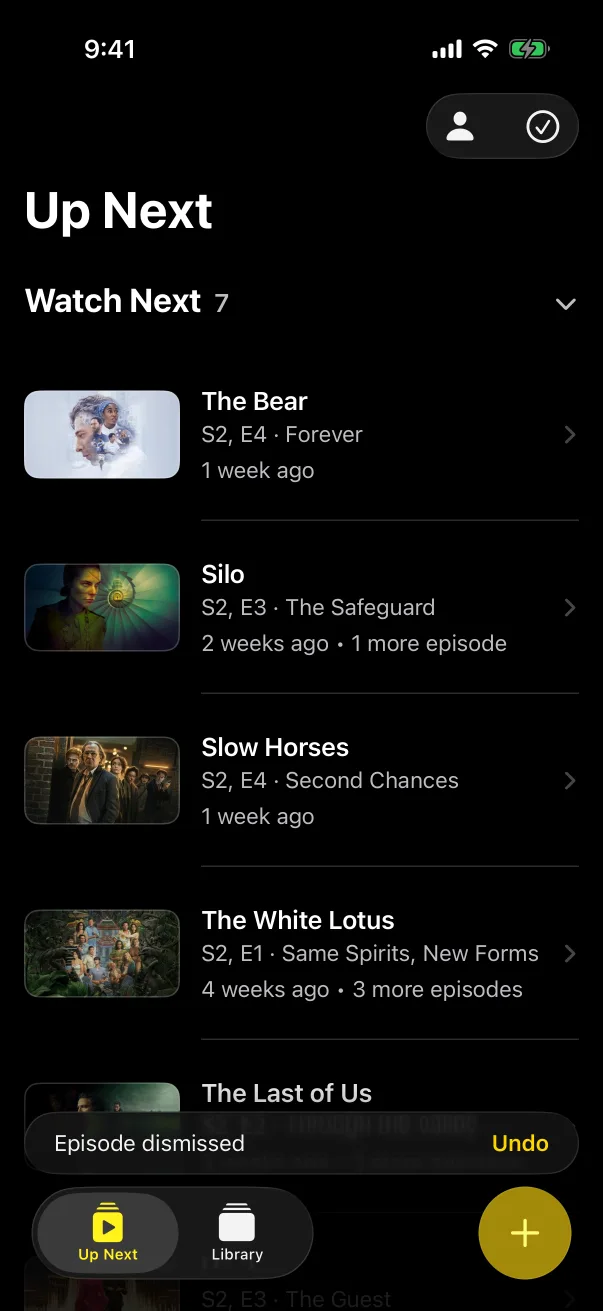
After you dismiss an episode, a bar at the bottom says Episode dismissed. Tap Undo to bring it back.
Guest appearances from people you follow (for shows you don't follow) are dismissed straight away, without the question.
Bring back a dismissed episode later
Open the episode from its show page. Its page says Dismissed from Up Next; tap Show in Up Next to restore it.
Snooze a show
Snoozing keeps a show out of Airing Today and Watch Next for a while; its future episodes still appear under Next Week, Next Month, or Later. It's handy for a show you're taking a break from.
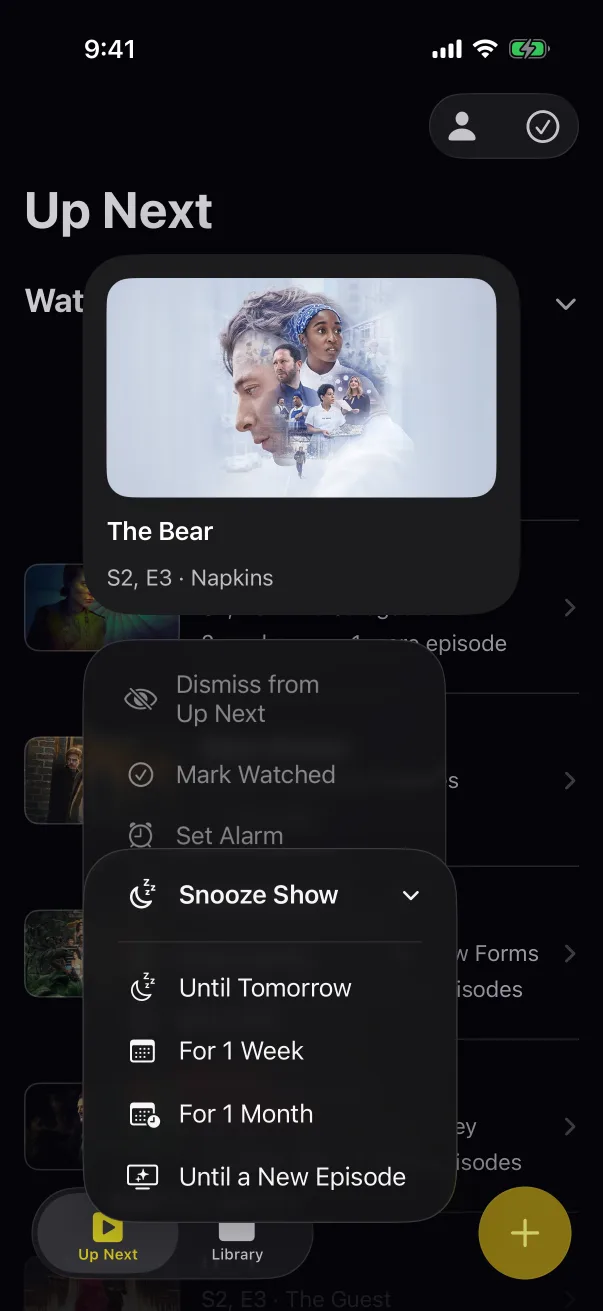
| Option | The show comes back… |
|---|---|
| Until Tomorrow | tomorrow. |
| For 1 Week | in a week. |
| For 1 Month | in a month. |
| Until a New Episode | when an episode released after today airs. |
A bar confirms The Bear snoozed with an Undo button. Snoozes sync to your other devices.
Wake a snoozed show early
Open the show's page. Near the top, a box says SNOOZED IN UP NEXT and when it returns. Tap Wake to bring it back now.
Dismiss vs. snooze vs. remove
| You want to… | Use |
|---|---|
| Skip one episode but keep watching the show | Dismiss |
| Take a break from a show and return later | Snooze |
| Stop following the show altogether | Remove from Library or Unfollow Show |
None of these mark anything watched or change your progress.