
Medals
Collect a medal for every episode, season, and series you finish.
Every time you finish an episode of a show in your Library, Shows awards you a medal. Finish a season and your episode medals fuse into a season medal; finish a whole series and you earn the rarest of all.
Earning a medal
When you mark an episode watched in Up Next, on a show page, or on an episode page, including with a swipe, your medal drops down from the top center of the screen in a small panel, just a little wider than the Dynamic Island, so the buttons at either side of the bar stay free to tap. On iPhones with a Dynamic Island it grows out of the island; on other iPhones it slides down below the status bar, and on iPad it slides down just below the tabs. It reads EPISODE COLLECTED, or SEASON COLLECTED or SERIES COLLECTED when you finish one, with the episode and show.
When you pick several episodes with the checkmark button (Select) in Up Next, nothing pops up while you're still picking. Once you tap Mark Watched, one medal comes out for the whole group: a season or series medal if they finished one, otherwise the medal for the last episode you picked, in a panel that reads, for example, 3 EPISODES COLLECTED. It names the episodes, such as "S2, E1–E3", when they're all from one show, or the medal's show and how many others, such as "The Bear + 2 more", when they span several.
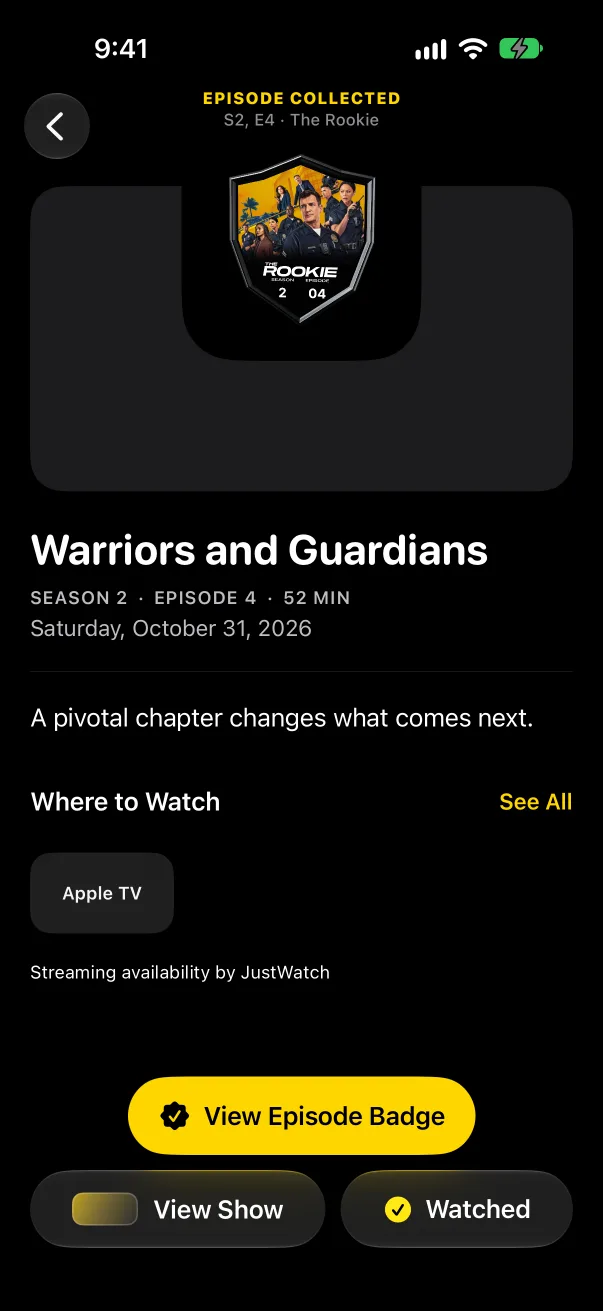
If your medal is still being made, a small spinner drops from the island until it's ready. You can keep using Shows, even go back to another screen, while you wait.
- Tap the medal to open it full size. The medal moves from the panel to the middle of the screen as the full view opens.
- Touch and hold to share it. If you hold it before the medal is ready, it shows Preparing to share… and opens sharing as soon as it can. If the medal can't be shared, it says Sharing unavailable. Tapping the medal while it prepares opens it full size instead of sharing.
- Swipe up to put it away.
Once your medal is ready, it stays small and goes away by itself after about six seconds. It only opens full size when you tap it. If you finish another episode while a medal is showing, that medal tucks back into the top of the screen and the new one comes out in its place.
Looking at your medal
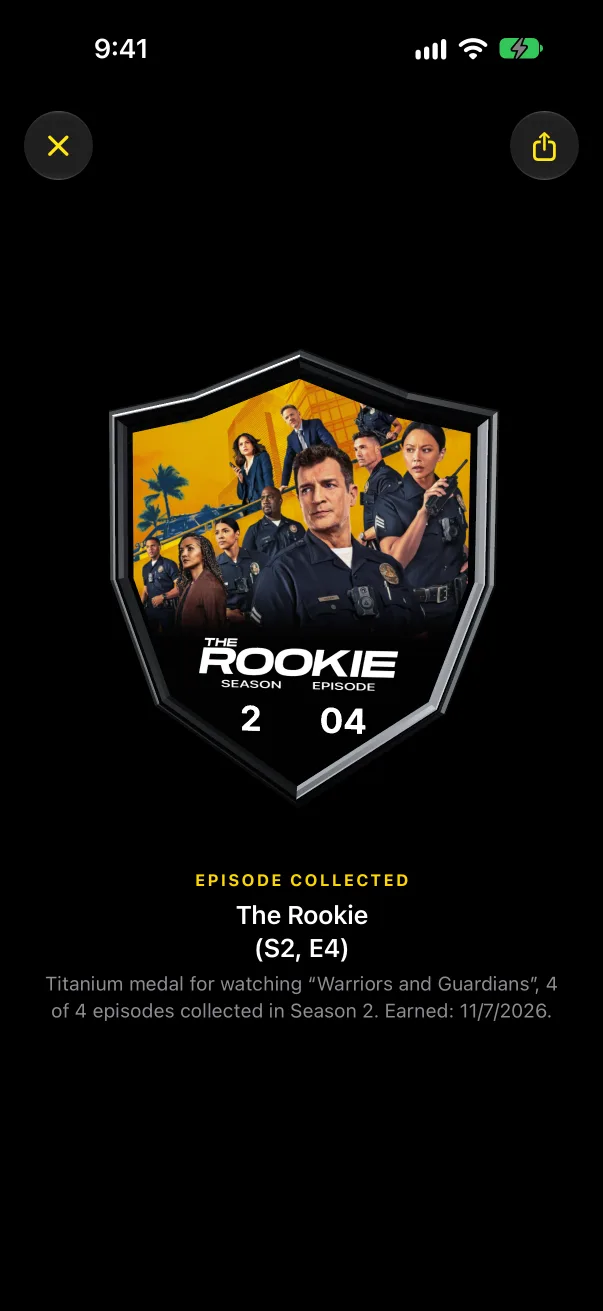
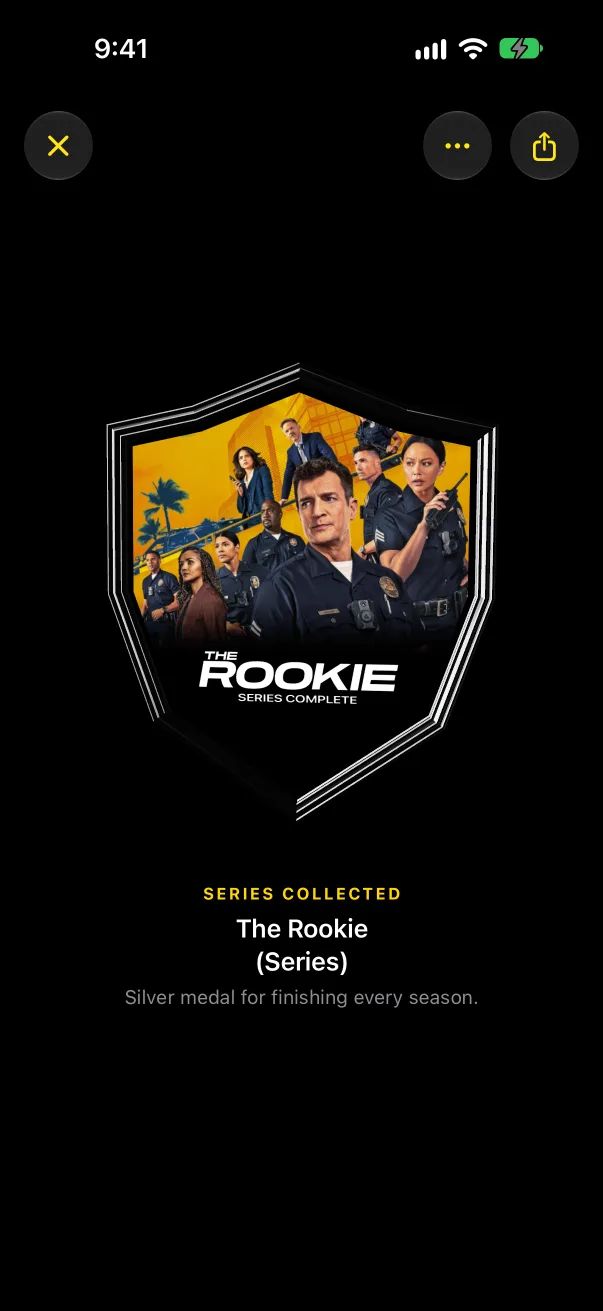
The medal floats on a black background. Below it you'll see the show and the episode, season, or series, then a line with the medal's material and how you earned it. Episode medals also show the date you first watched the episode.
- Drag the medal with your finger, or tilt your phone, to catch the light.
- Share (the button at the top right) creates an image of the medal to send or post.
- × at the top left closes it.
The three kinds of medal
| Medal | Material | How to earn it |
|---|---|---|
| Episode | Brushed titanium | Watch any episode of a show in your Library. |
| Season | Glossy glass | Watch every episode of a season once they've all aired. |
| Series | Polished silver | Finish every season of a show that has ended or been canceled. |
When an episode completes a season or series, the medal sheet plays a short transformation: your episode medals combine into a season medal, and your season medals into a series medal. Tap ••• at the top right to switch between the medals you've earned for that show, or choose Replay Transformation to watch it again.
Specials never stand in the way of a medal.
Seeing a medal again
Open any watched episode of a show in your Library and tap View Episode Badge. The sheet opens with YOUR COLLECTION.
Medals are worked out from your watch history, so they're always accurate. If you mark an episode unwatched, its medal goes with it.
Accessibility
With Reduce Motion on, a new medal fades in without spinning, opening it fades in the full view instead of moving the medal, medals don't follow the tilt of your phone, and the transformation skips straight to the medal you earned. With VoiceOver on, Shows reads the new medal aloud and leaves it on screen until you open or dismiss it, and tells you when the medal or its share is ready. On the small medal panel, use the Share Medal and Dismiss actions to share or put it away. With the largest text sizes, the panel keeps to the medal and its heading; VoiceOver and the Large Content Viewer still give the full episode and show. With Reduce Transparency on, the glass season medal is opaque.
If a medal can't be shown, the sheet says Your medal is unavailable right now. Tap Try Again.