
Episode alarms
Get an alert at a time you choose on the day an episode airs.
An alarm is a one-off alert for a specific episode, at a time you pick on its air date. Use it for the episodes you want to catch the moment they're out.
Alarms are separate from the daily episode reminders: they work even when daily reminders are off.
Set an alarm
You can set an alarm from two places:
- Up Next: touch and hold an upcoming episode and choose Set Alarm.
- A show page: tap the … button beside Follow and choose Set Alarm. This sets an alarm for the show's next upcoming episode.
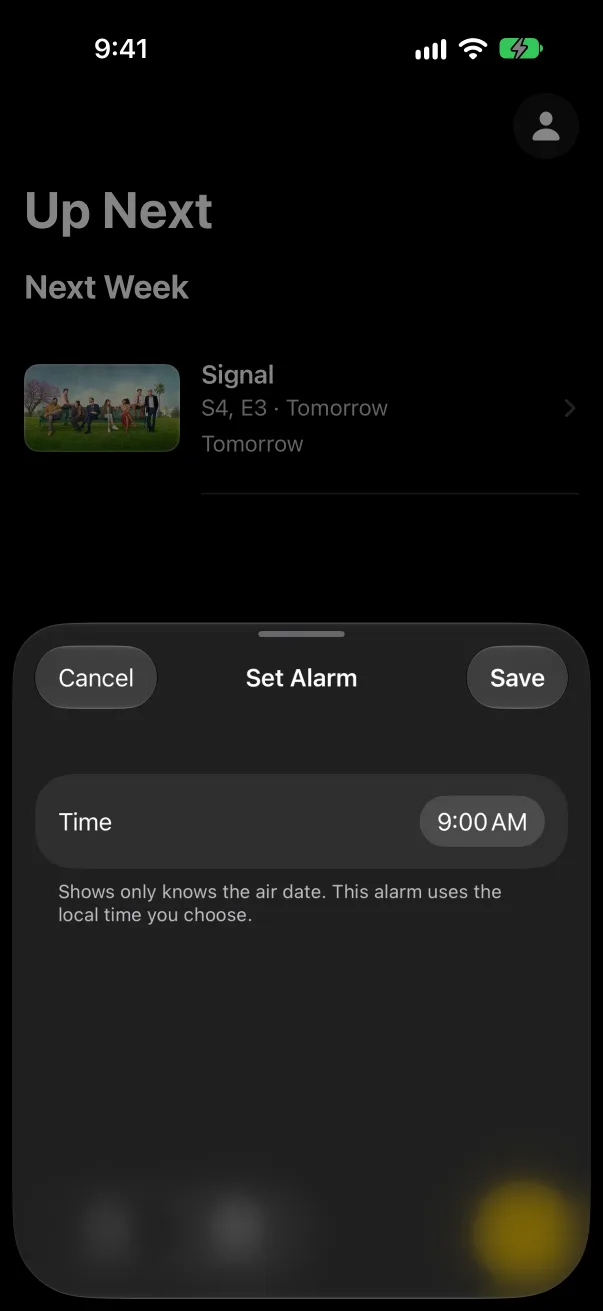
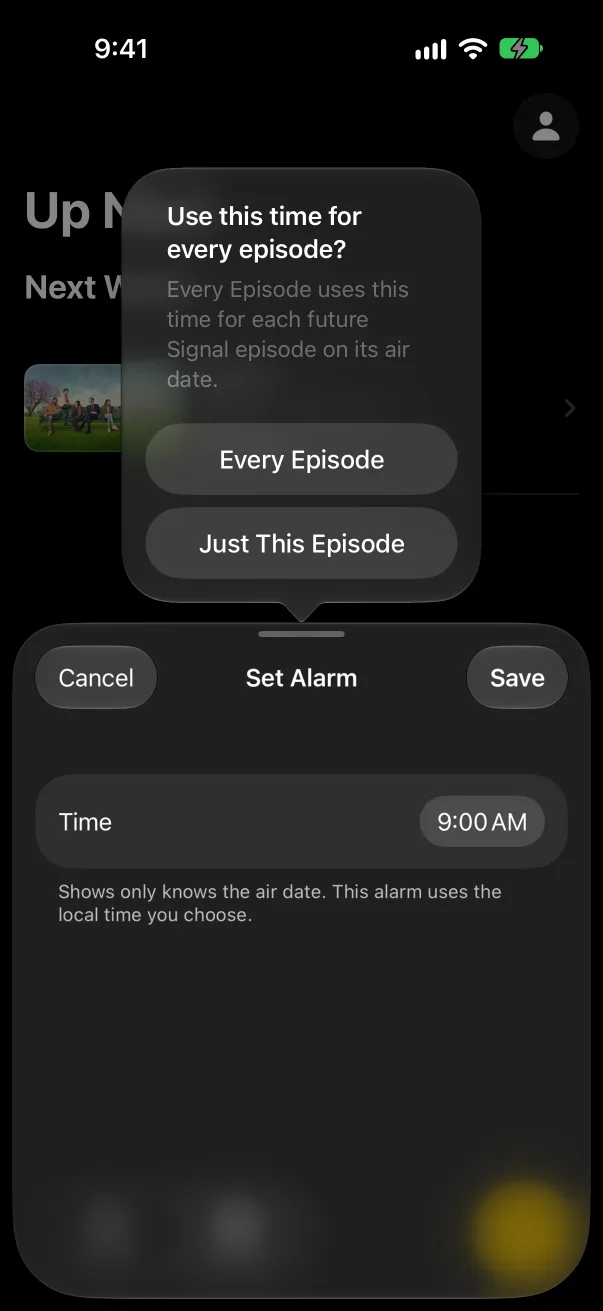
Choose a Time. The alarm goes off at that time on the episode's air date. It starts at 9:00 AM.
Choose Every Episode to use this time for each future episode of the show, or Just This Episode for this one only.
If notifications are off for Shows, iOS asks for permission when you save.
Why only a date?
TV listings give Shows the date an episode airs, not the exact minute it lands on your streaming service. The alarm goes off at the local time you choose, so set it for when you'd like the nudge.
Change or turn off an alarm
To change the time, choose Change Alarm from the episode's touch-and-hold menu in Up Next or from the show's … menu. To turn an alarm off, touch and hold the episode in Up Next:
- Disable Alarm removes the alarm for that episode.
- Disable The Bear Alarms (with your show's name) removes an every-episode alarm for the show.
A show has either one every-episode alarm or individual episode alarms: choosing Just This Episode replaces the show's every-episode alarm, and Every Episode replaces its single-episode alarms. Alarms are saved on this device, and an episode with an alarm isn't repeated in your daily reminder.
What the alarm says
The alert's title is the show's name, and it reads, for example, "S1, E2 is scheduled for today".
If an alarm won't save
| Message | What to do |
|---|---|
| Choose a time at least 5 minutes from now. | For an episode airing today, pick a later time. |
| Enable notifications in Settings to save this alarm. | Tap Open Settings and allow notifications for Shows. |
| This episode does not have a valid air date. | The episode's date isn't known yet. Try again once it's announced. |
| That time does not exist on this date in your current time zone. | You picked a time skipped by a daylight-saving change. Choose another. |
You can set alarms only for shows in your library, for episodes airing today or later.